Introduction to Computer Vision
Image Processing vs Computer Vision
After image processings, we can get images.
But after applying computer vision algorithms, we can get some information of images.
Image → Computer vision algorithm → Feature [0.5, -1, 2.3], Location [(x1, y1), (x2, y2)], or Identity [id_1, id_2]
e.g. Face recognition, Object detection


Problems in Computer Vision
Image processing
In image processing, the input is an image and the output is typically a filtered version of image.
Sub problems
Image denosing
Image enhancement
Image restoration
Image and video compression
Image binrization
Binary image processing
Edge and corner detection
3D reconstruction using 2D images
Extracting 3D information from 2D images is a huge part of Computer Vision. There are several algorithms that are appropriate for different domains.
Streo vision (Kinect)
Use two different images of the scene from two slightly different viewpoints to extract 3D information.
Project camera such as Kinect is similar to Streo vision.
Multiple view structure from motion
In this case of problems, we take pictures of a scene or object from multiple views and automatically generate a 3D structure of a scene.
e.g. Roman Colosseum by Agarwl et al.
Visual slam (Localization and mapping)
ORB-SLAM: a Versatile and Accurate Monocular SLAM System, 2015
ARKit, Google street view
Shape from X
Shape from shading
Use shading on the single image to infer shape.
Photometric streo (Light)
Use 3 or more images of a scene with a static camera under different lighting conditions to obtain 3D shape information.


Feature detection and matching
Detection of edges and corners
It is impotant step in geometric computer vision.
e.g. Calibration of checkerboard
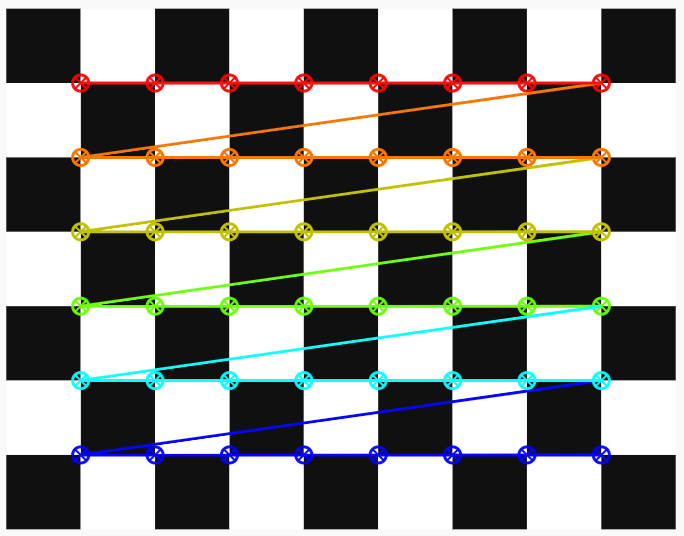
Image alignment
Satelite images
Medical image registration
Panoramas
Document rectification
Motion estimation
Video compression
Visual stabilization
Image recognition
Image classification
The goal of image classification is to label an input image with the class that describes the image.
e.g. Get a cat label from a cat image.
This algorithm usually works if there is a only one object in the scene and it is tightly cropped.
Object detection
Object detection is used to find multiple object in the images using bounding boxes and its labels.
You can find objects in the entire image.
Object tracking
Object traking is used to find multiple object in the video.
You can do object detection on each frame but you also need to know which bounding box in one frame corresponds to which one in the next frame.
In tracking, you know the location of the object in the previous frame and that information can be used to reduce the search space and make tracking fast.
Special cases
Face recognition
Fingerprint recognition
Iris recognition
Gait recognition
Document analysis
Counterfeit detection
Image segmentation
Natural image matting
Measurment using images
Facial landmark detection
Head pose estimation
Body estimation
Computational photograpy
High dynamic range (HDR) imaging
Super-resolution using TECOGAN
Coloraization
Light field photography
Black hole photography
Reference